Choose Your AWS Marketplace Account
When you register as a seller on AWS Marketplace, the AWS account you choose becomes your seller of record.
All payments, reporting, and communications are tied to that account, and you cannot change it later.
Only 2 options meets AWS best practice standards :
Option 1. Create a new, dedicated, standalone AWS account
✅ Advantage : Most isolated and secure option ⭐️ avoids mixing workloads, prevents billing/tax conflicts, and keeps you flexible if you work with a reseller or MSP later
❌ Don't do it if : You already have an AWS partner network account
Go to AWS Console and sign up:
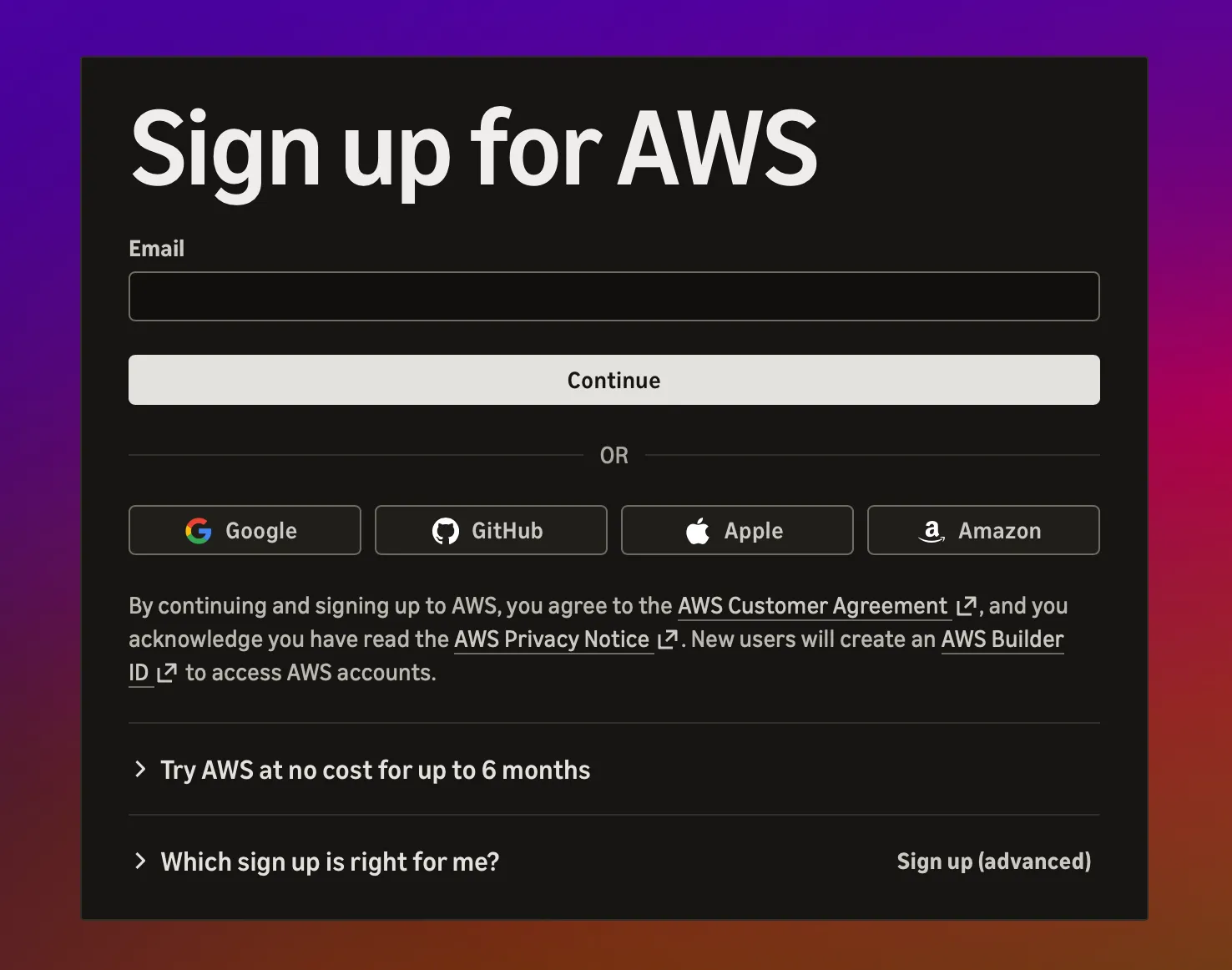
- You could for example name your account CompanyName+Marketplace
Verify your account:

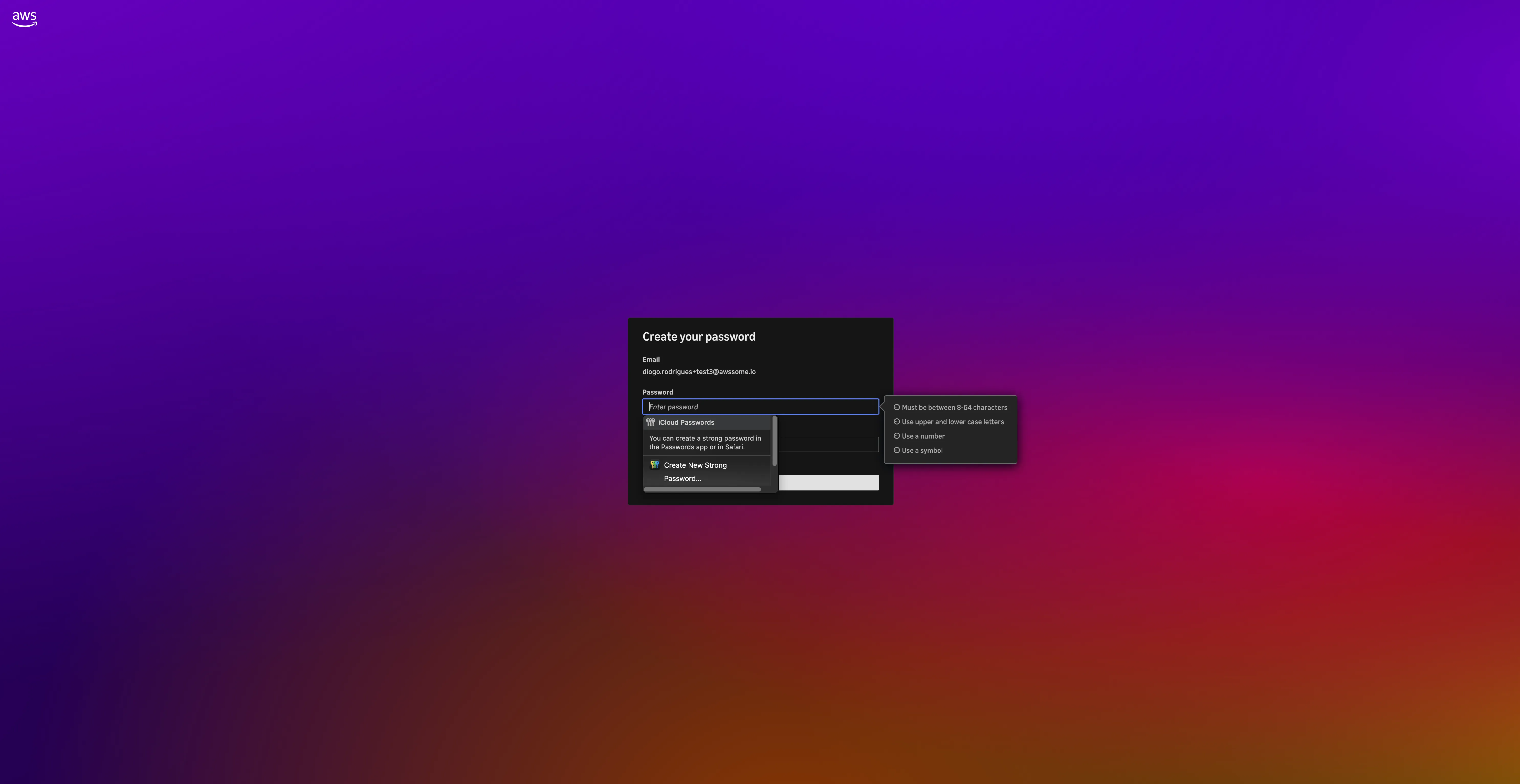
Create a Password:
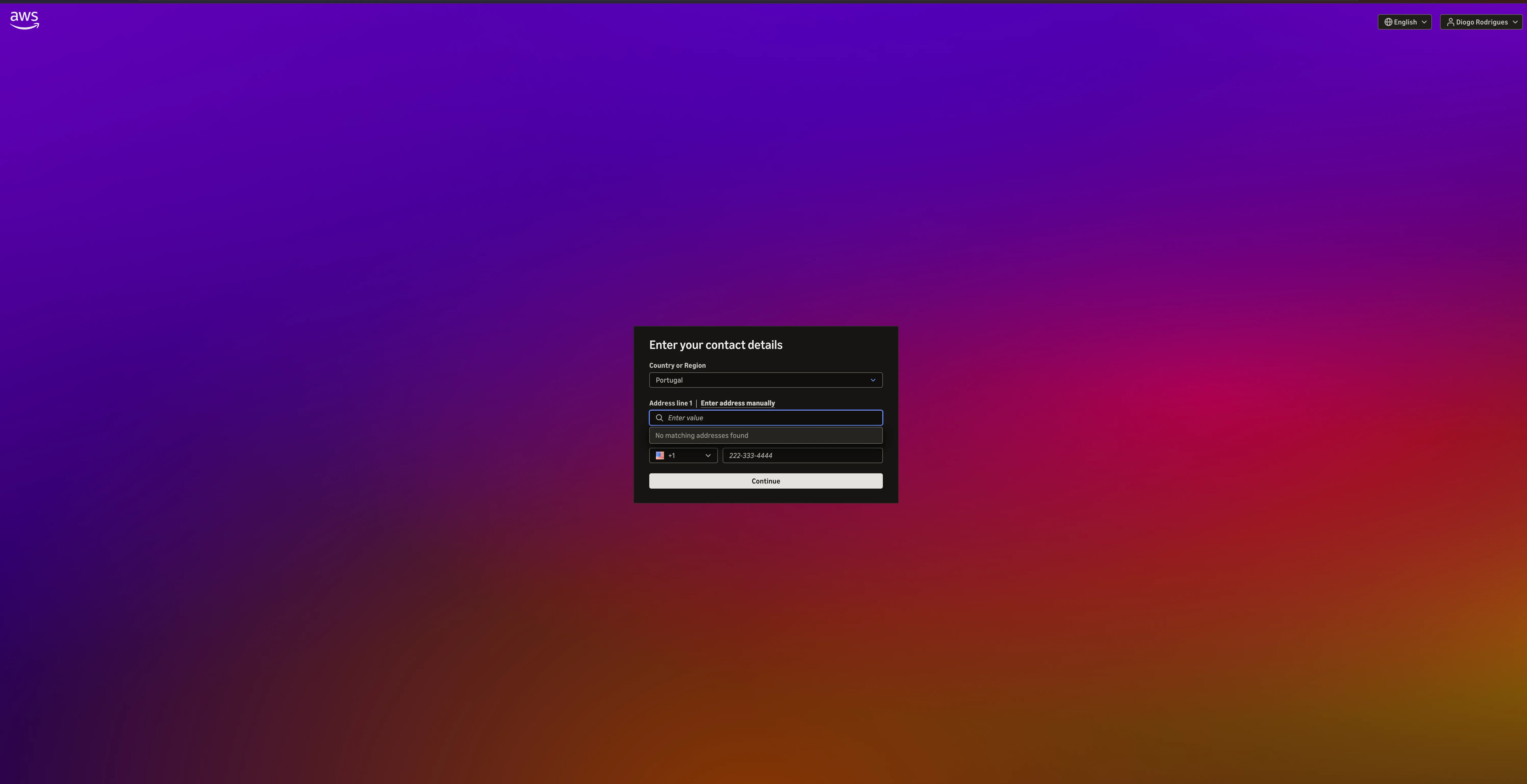
Provide your company details (please make sure to put a phone number you can access):
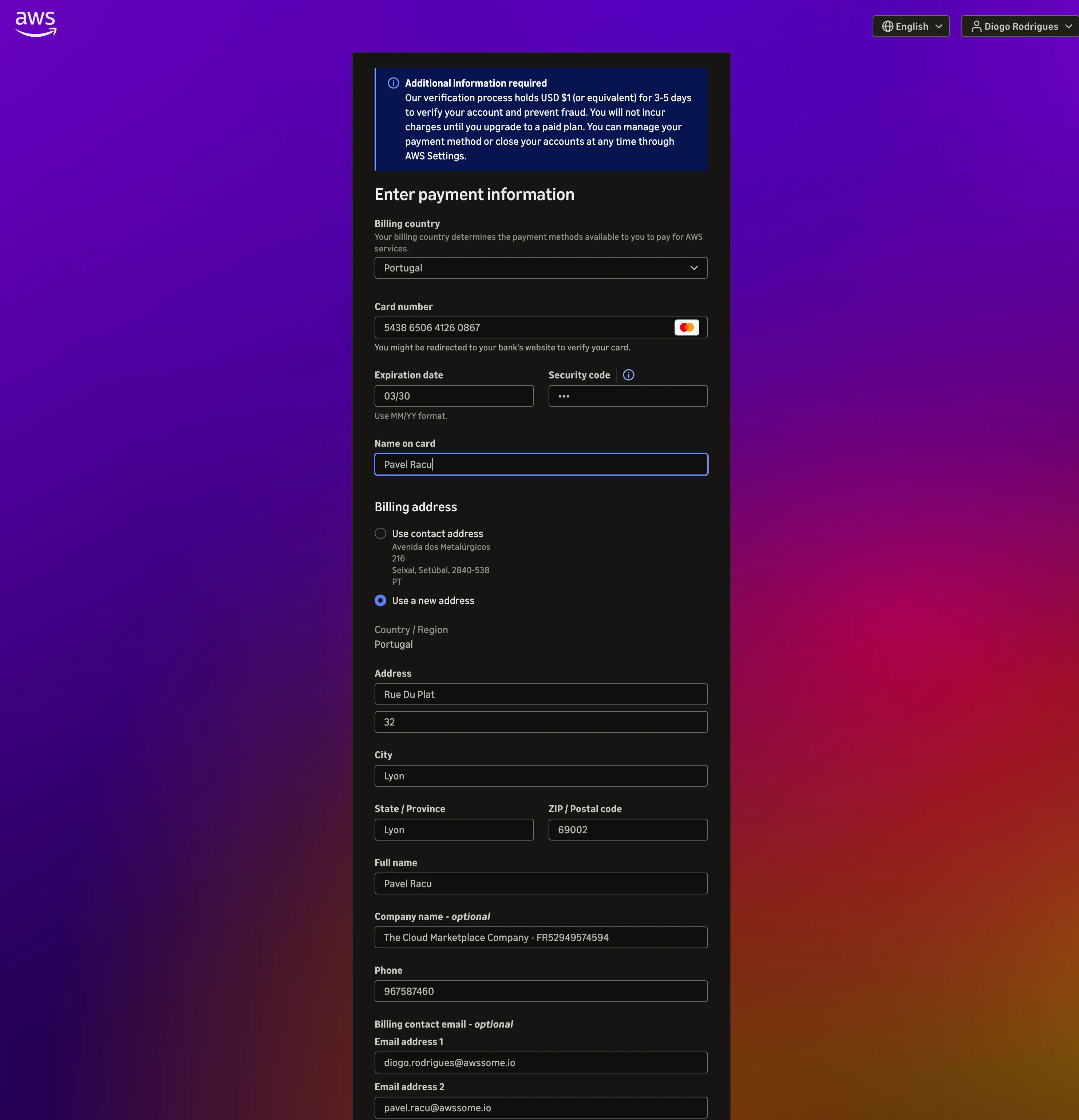
Your billing information:
Your account is set up!
Option 2. Create a separate Marketplace account within your existing management account
✅ Advantage : Set up in 3 clicks, security level acceptable
❌ Don't do it if :
- Might work with an MSP in the future
- Tax address ≠ billing address